
DataVaultPro
Your local library of reference sales — named collections you keep, search, and pull into work.
Your own local vault of reference sales — keep, search, pull into any job.
What it does
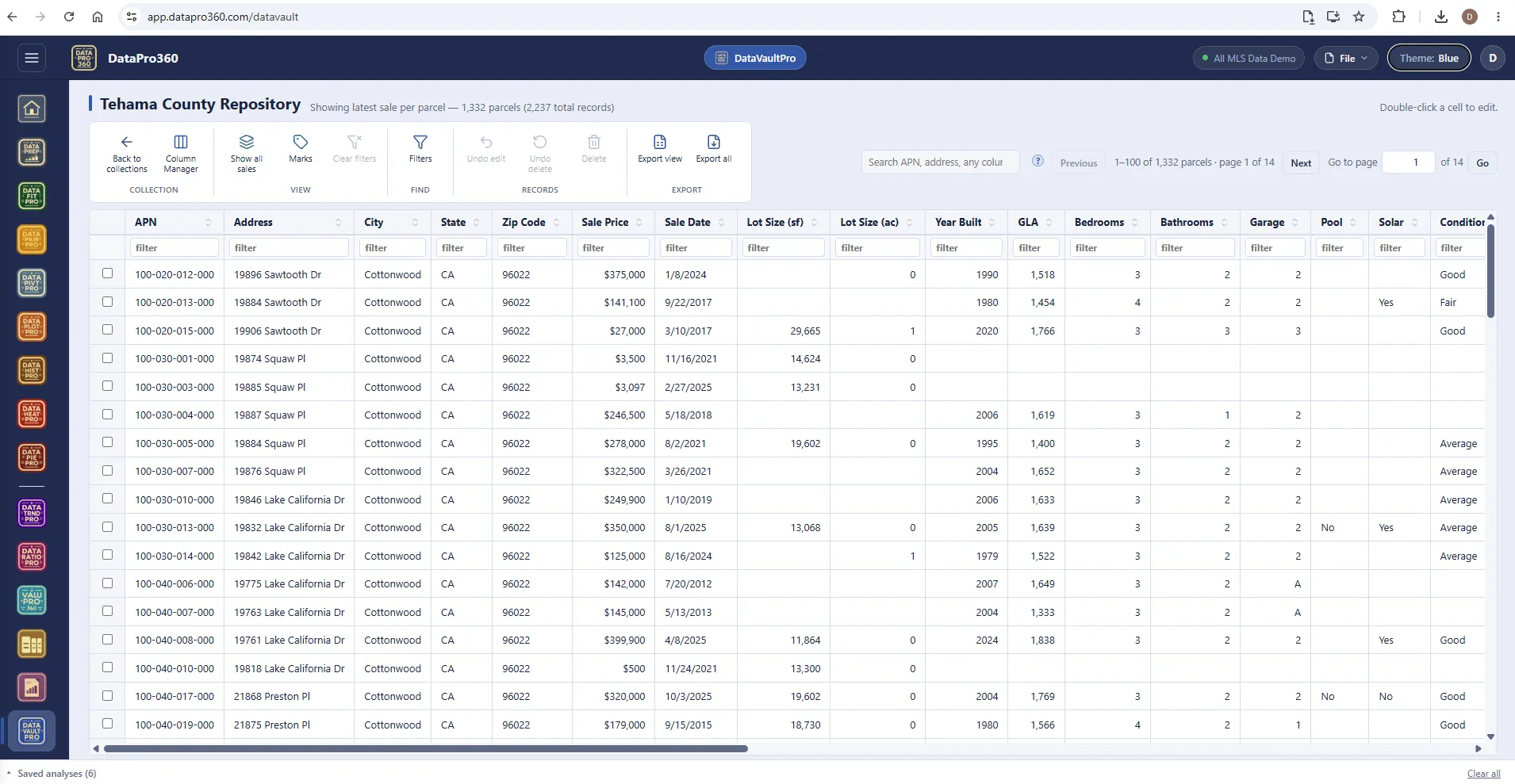
DataVaultPro is your local library of reference sales — named collections you keep, search, and pull into work. Each collection is its own vault. A record's identity is its APN and sale date, so the same sale never files twice, and the photo archive adopts images where they already live instead of copying them.
When an assignment needs a sale you already verified — the odd rural comparable, the one with the shop, the one with the pool — pull it from the vault into the working dataset instead of rebuilding it from scratch. It is local by design: the vault lives on your machine with your files, not on a server. What you keep, where it lives, and what it is worth as evidence stay entirely in your hands.
Collections are datasets grouped by whatever grouping is useful to you — by market, by year, by client, by property type. A collection is a container: its contents are searchable and its columns are manageable, so a collection of thirty datasets is navigable rather than a list. Filter a collection down, load the result as the working dataset, and the Comp Grid can draw from sales you already know.
The photo archive stores images against properties, searchable by address — every word of your query matched against the address key, so a partial address finds what you are looking for. A property you photographed two years ago for a different assignment is a property whose photos you already have, and finding them takes seconds rather than an afternoon. A reviewed write-back path carries corrections you make in the work back to the vault.
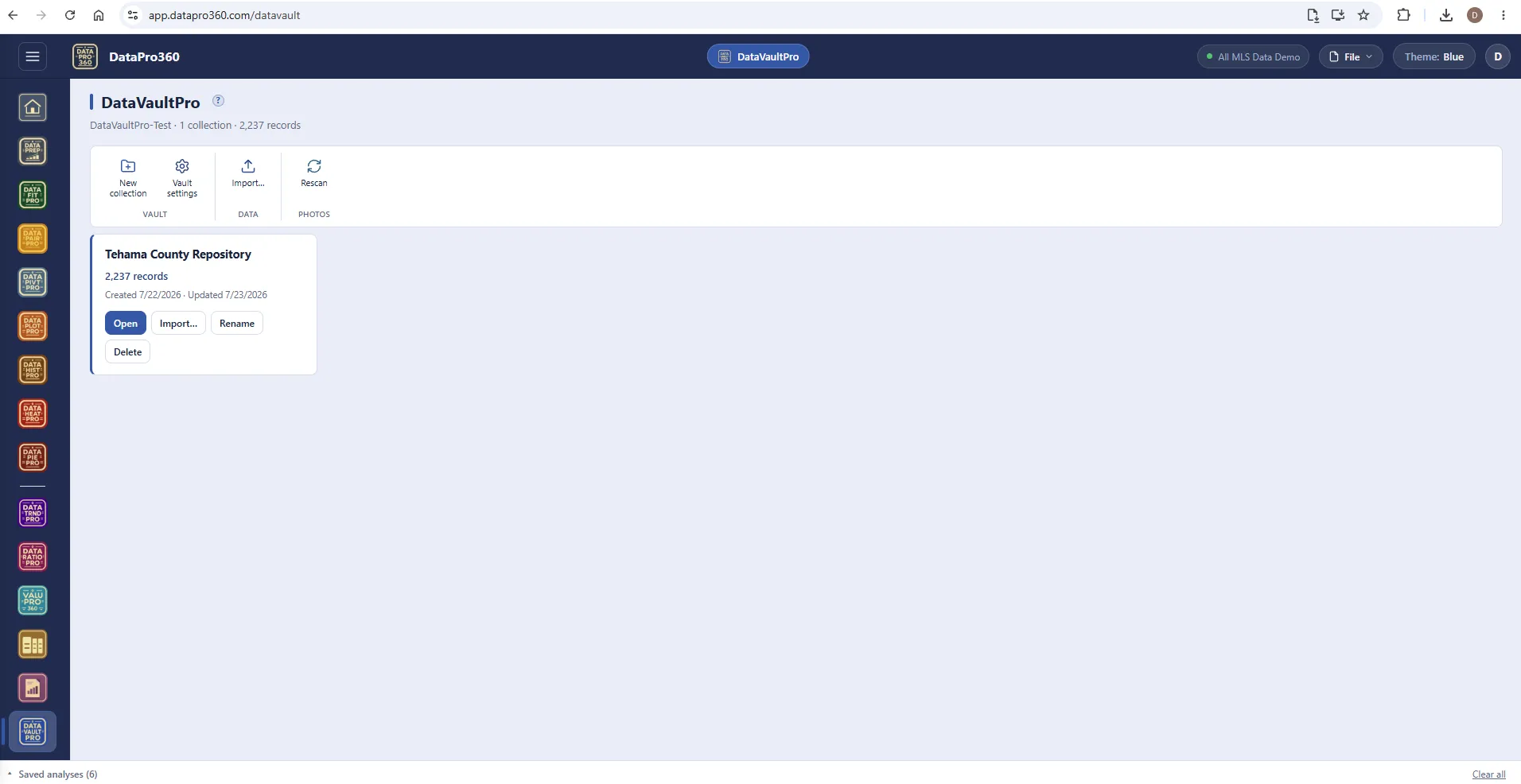
Collections — one vault, named containers.
New collection, vault settings, import, rescan. A collection card states what it holds — here a county repository of 2,237 records — with open, import, rename and delete beside it. The vault is a folder you designate on your own drive; nothing about it lives on a server.
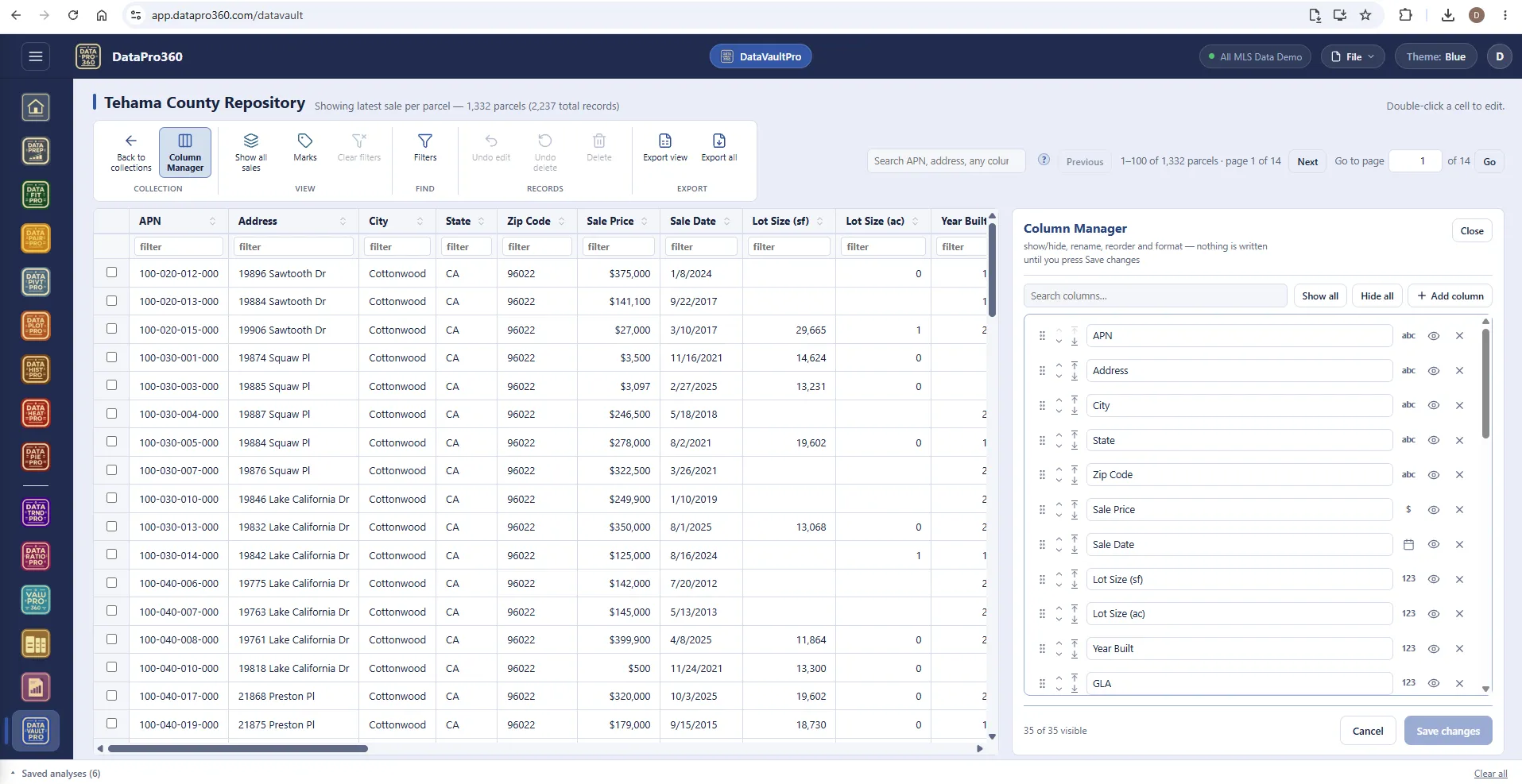
The Column Manager — nothing written until you save.
Show or hide, rename, reorder and format every column — text, currency, date, number — with a search over the columns and show-all / hide-all. Changes stage in the panel and land only when you press Save changes.
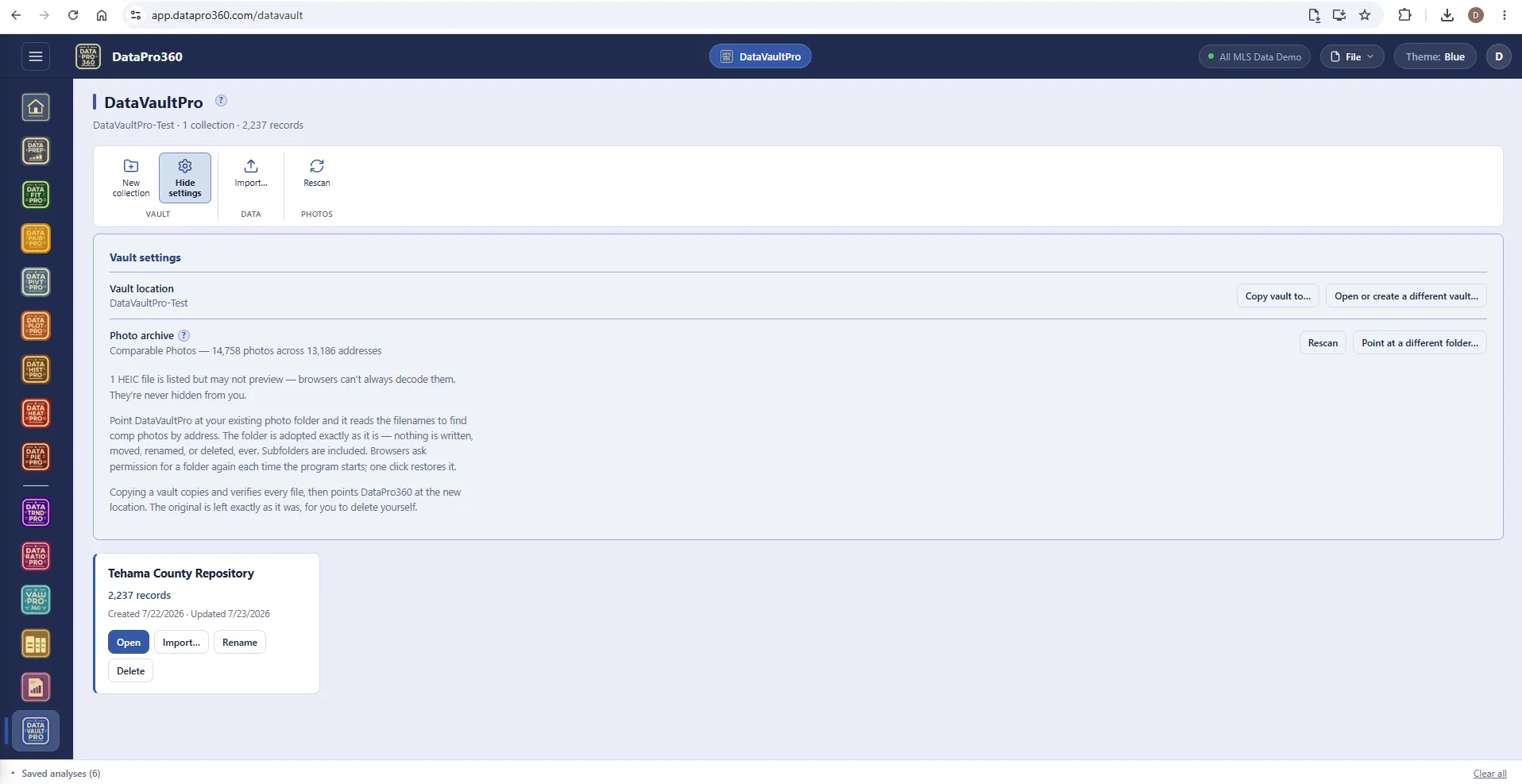
Vault settings — your folder, adopted as it is.
The vault location and a copy-to for moving it. Point the photo archive at your existing photo folder and it reads the filenames to find comp photos by address — 14,758 photos across 13,186 addresses in this vault — with nothing written, moved, renamed or deleted, ever. Browsers ask permission for a folder each time the program starts; one click restores it.
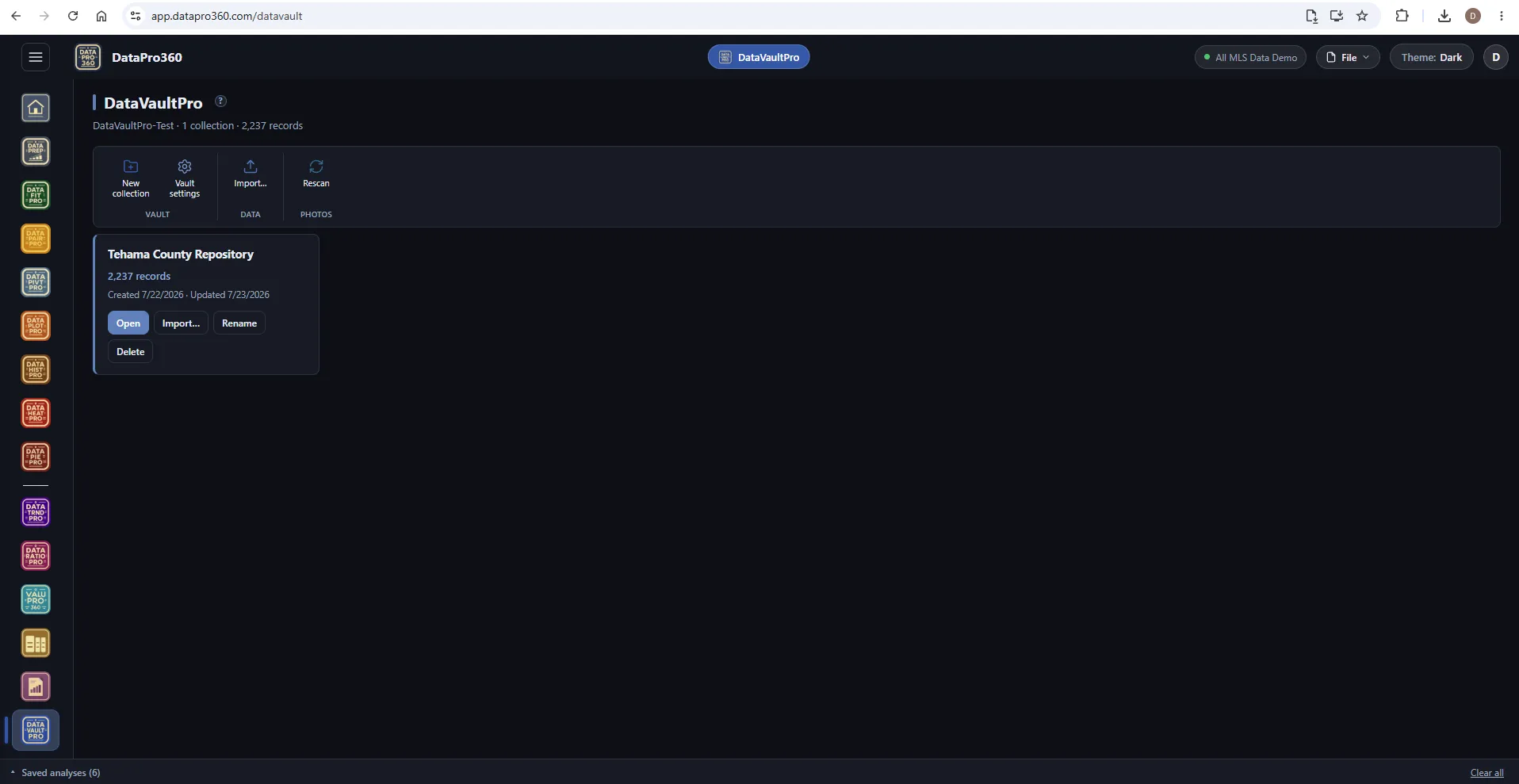
The same vault in the Dark theme.
Collections, the browser and the settings read the same in every theme.
Where it sits
In the workflow
DataVaultPro sits beside the loaded file: sales you keep in a collection are filtered and pulled into the working dataset, where DataPrep and the Comp Grid treat them like any other row. What you verify once is yours to reuse.
See the whole workflow →
 DataPrep
 Comp Grid
Prove the numbers in your next report.
Load your own MLS export and work a real assignment through the trial — every chart, every method, the finished report.
$69.95 per user, per month. 30-day free trial, no credit card required. No long-term contract.